
How to Manage Files in a Model
Updated on Published on
Article summary
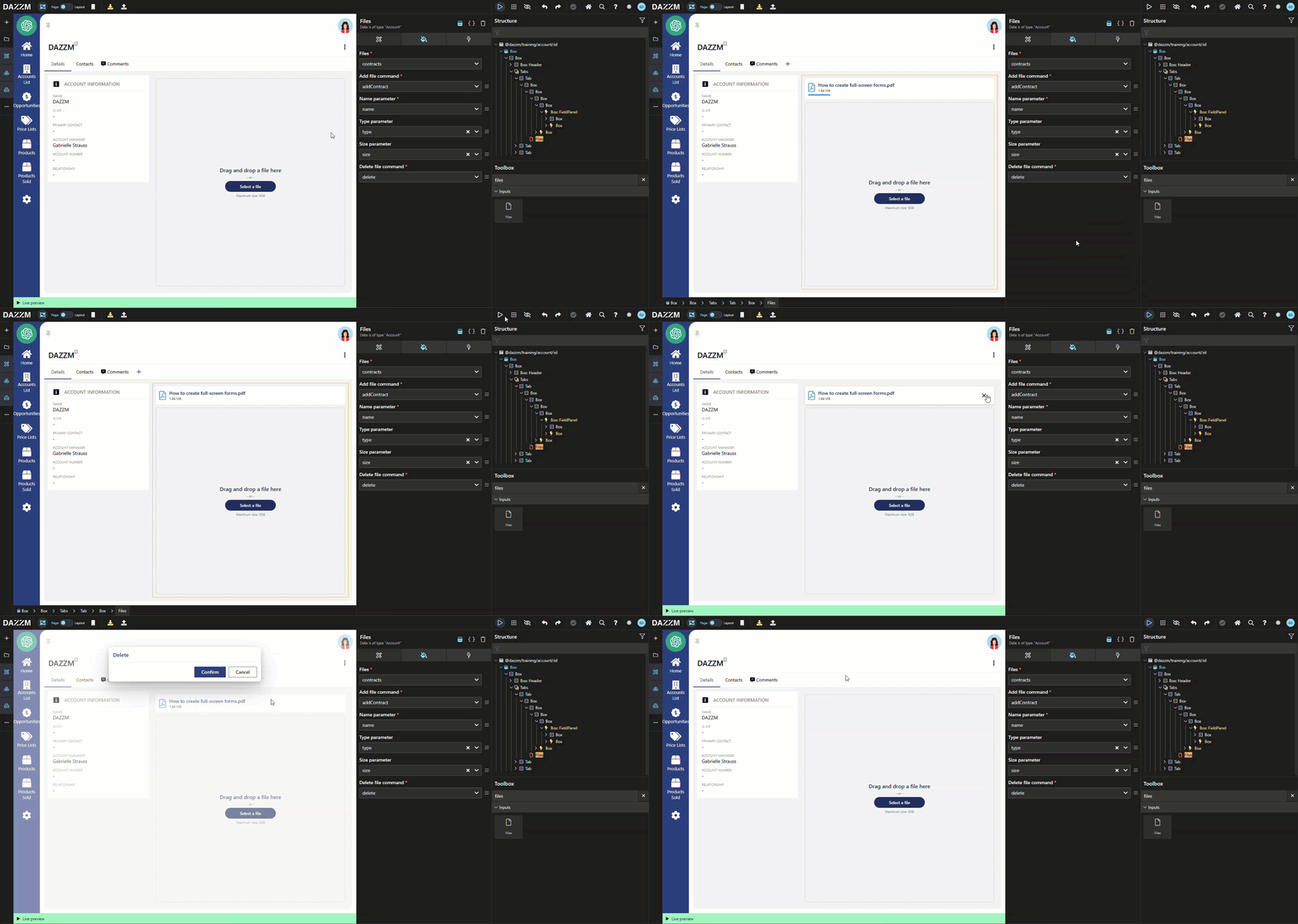
Manage files in a model by making modifications to the data model and user interface. Using the example of adding the ability to attach files, such as contracts, to the Account entity in a CRM application, it describes the steps required to structure the data, create commands to handle files, and integrate a user interface for uploading and managing files.
Introduction
Section titled “Introduction”This article explains how to manage files in a model by making modifications to the data model and user interface. Using the example of adding the ability to attach files, such as contracts, to the Account entity in a CRM application, it describes the steps required to structure the data, create commands to handle files, and integrate a user interface for uploading and managing files.
Step-by-step instructions
Section titled “Step-by-step instructions”At the Model Level
Section titled “At the Model Level”1. Create a new “contracts” field under Account:
Section titled “1. Create a new “contracts” field under Account:”-
Type: New entity
Contract -
Is collection: Yes
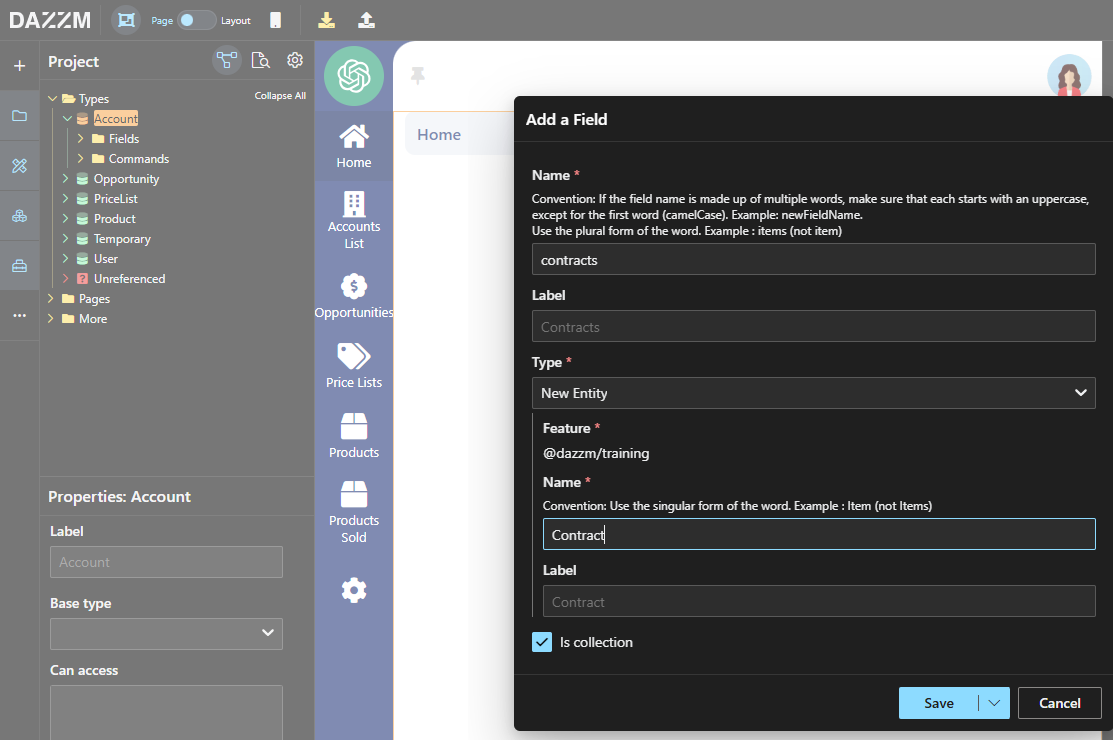
2. Add the following fields to the Contract entity:
Section titled “2. Add the following fields to the Contract entity:”Name: Text, to store the file name.
Type: Text, to store the file type.
Size: Number, to store the file size.
3. Create a command to add a new Contract entity:
Section titled “3. Create a command to add a new Contract entity:”-
Select the new “contracts” field.
-
Add parameters: “name”, “type”, and “size”.
4. Create a command to delete a Contract entity.
Section titled “4. Create a command to delete a Contract entity.”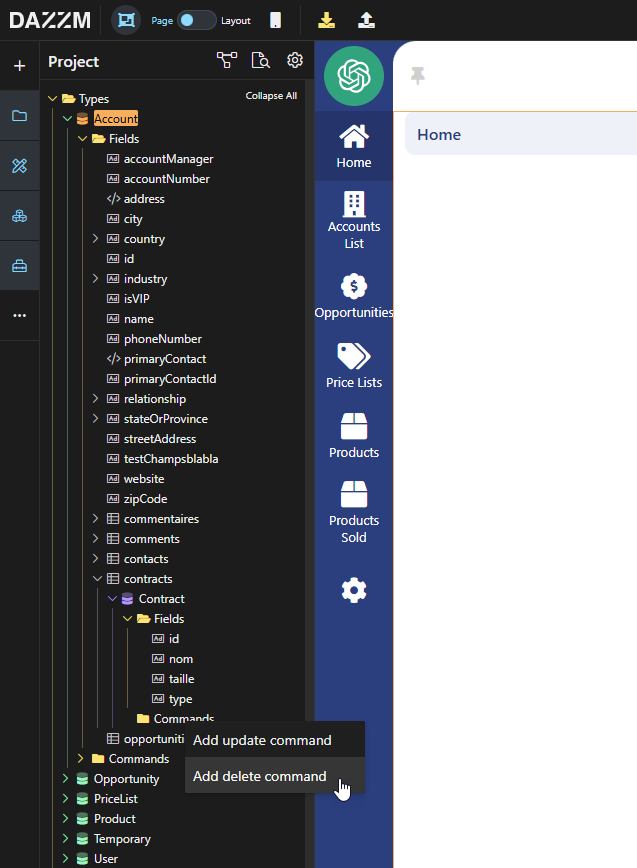
At the UI Level
Section titled “At the UI Level”1. In the account page, in the UI, drag and drop the “Files” component from the toolbox.
Section titled “1. In the account page, in the UI, drag and drop the “Files” component from the toolbox.”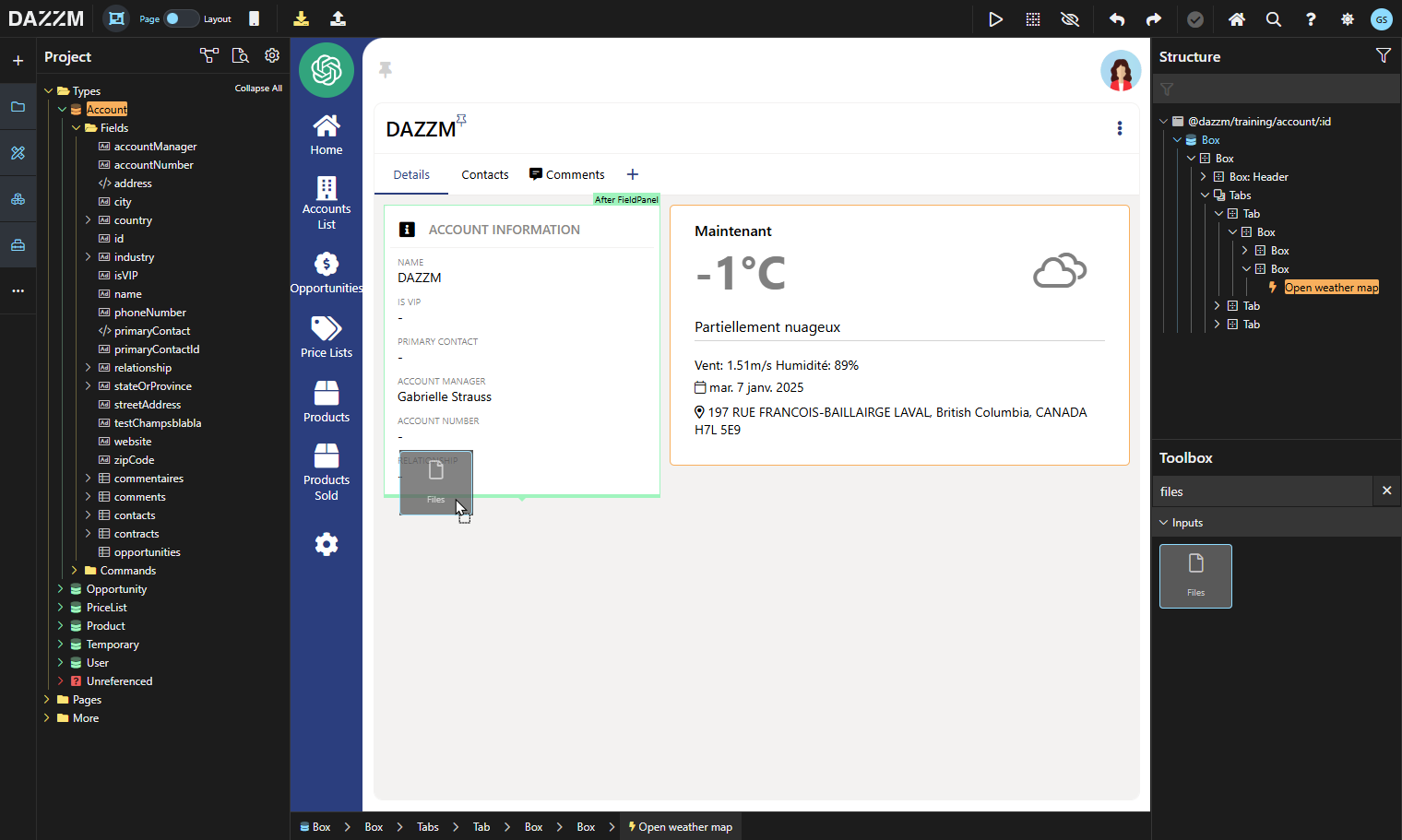
2. Configure the component:
Section titled “2. Configure the component:”-
Files: “contracts” (select the field containing the entity representing a file).
-
Add file command: “addContrat” (select the creation command). Note: The component respects the command’s precondition and will block uploads if the precondition indicates it.
-
Name parameter: “name”.
-
Type parameter: “type”.
-
Size parameter: “size”.
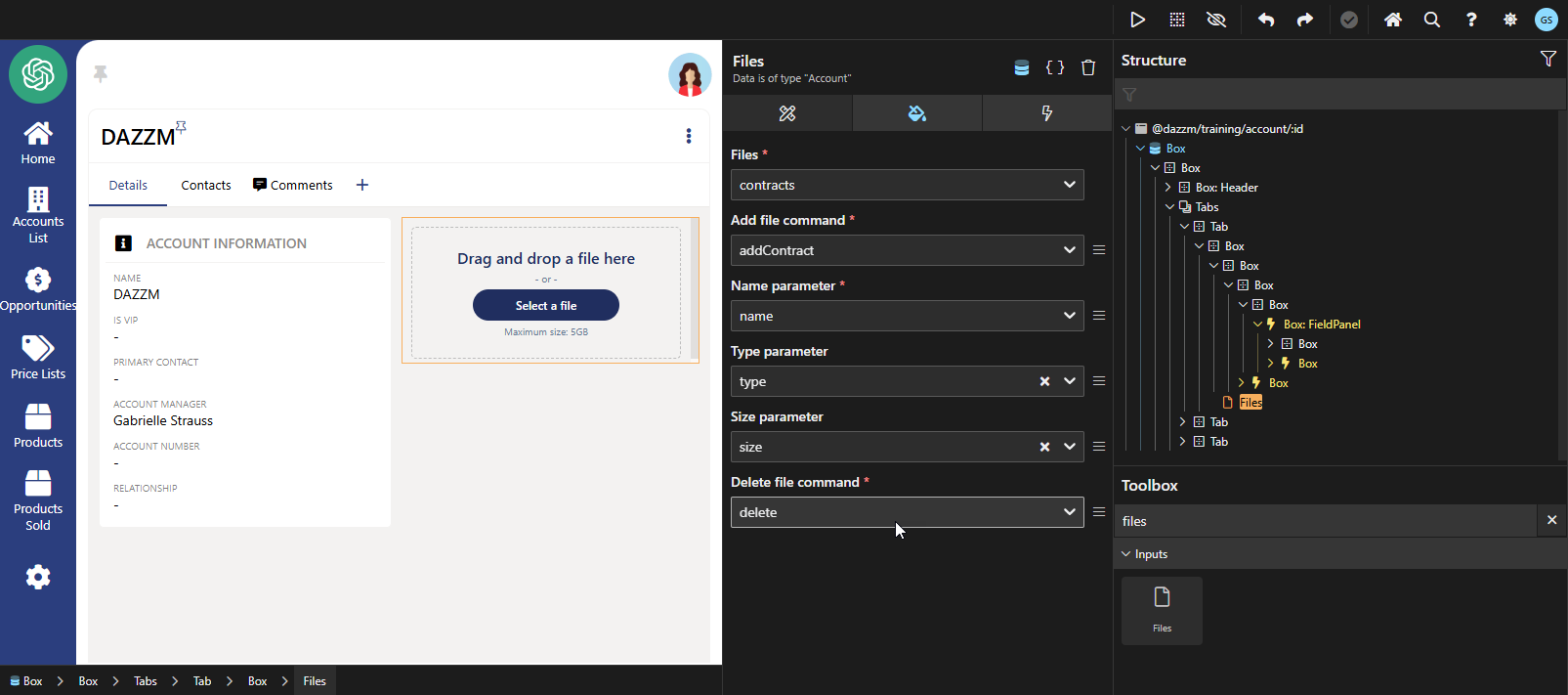
3. Delete file command: “delete”.
Section titled “3. Delete file command: “delete”.”- Note: The component respects the command’s precondition and will block deletions if the precondition indicates it.
Conclusion
Section titled “Conclusion”Managing files in a model combines adjustments to the data model and user interface. This approach enables seamless and robust integration for adding, displaying, and deleting files while adhering to defined business rules and constraints.