
Select a Main Contact from a List of Contacts
Updated on Published on
Article summary
This CRM has an “Account” Aggregate, which has a collection of “Contacts” entities. Here, we're looking for a field at the root level (Account) that will point to a single element of the Entity collection (Contacts) to define the main contact of the account. You cannot create a “main contact” field of type Contact and configure it to choose from the list of contacts in the account, as this would create a second contact entry in the database with the selected contact information. Any modification to the contact…
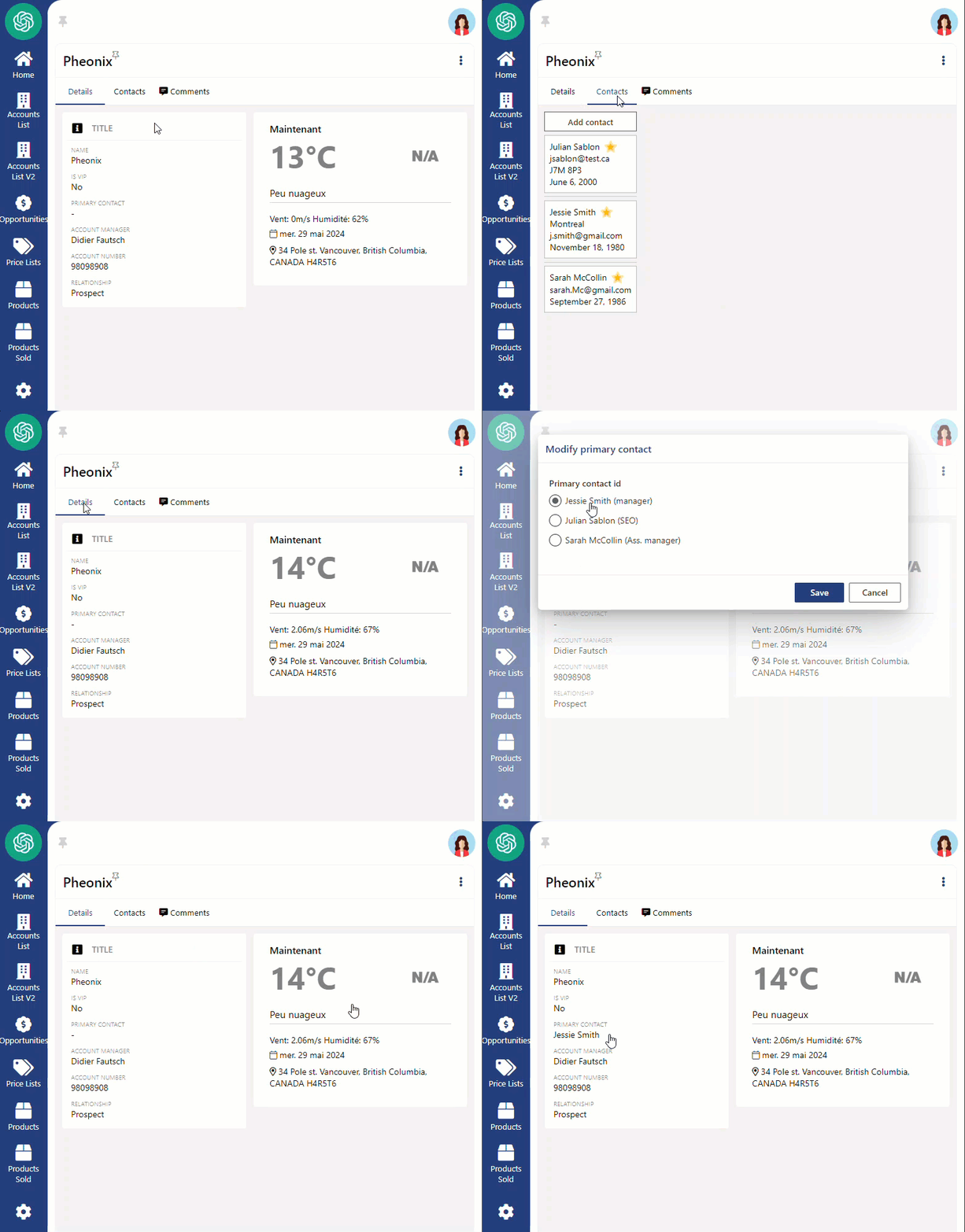
Step-by-step instructions
Section titled “Step-by-step instructions”1. Creating a Text Field for Main Contact Reference
Section titled “1. Creating a Text Field for Main Contact Reference”Create a text field under Account and call it primaryContactId. We will later use this to create our reference to a main contact.
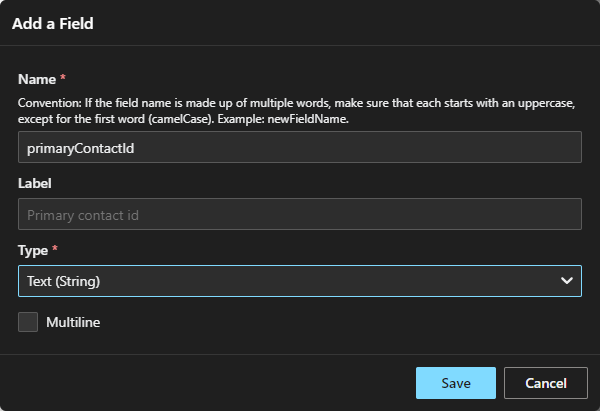
2.Defining the Computed Field for Main Contact Retrieval
Section titled “2.Defining the Computed Field for Main Contact Retrieval”Create a text computed field and name it primaryContact. This field will contain the contact referenced by the simple field primaryContactId by performing a JavaScript search.
return data.contacts.get(data.primaryContactId)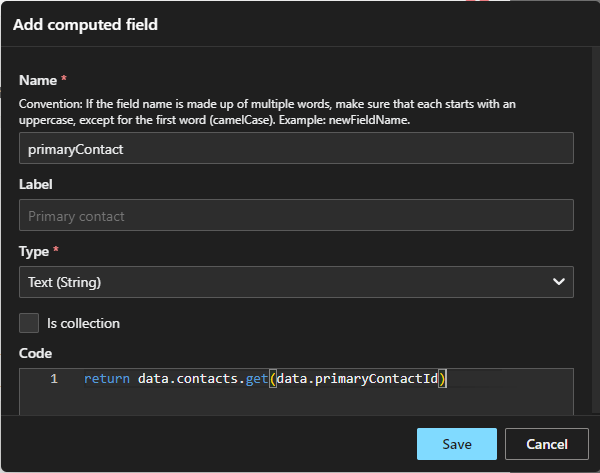
3. Creating the Update Command for Modifying the Main Contact
Section titled “3. Creating the Update Command for Modifying the Main Contact”Create an update command, under the Account aggregate, to modify/add a main contact. We’ll name it modifyPrimaryContact and add the primaryContactId text field to its parameter.
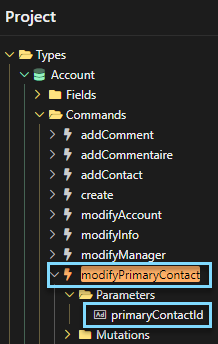
4. Displaying the Main Contact in the Account’s Detail Page
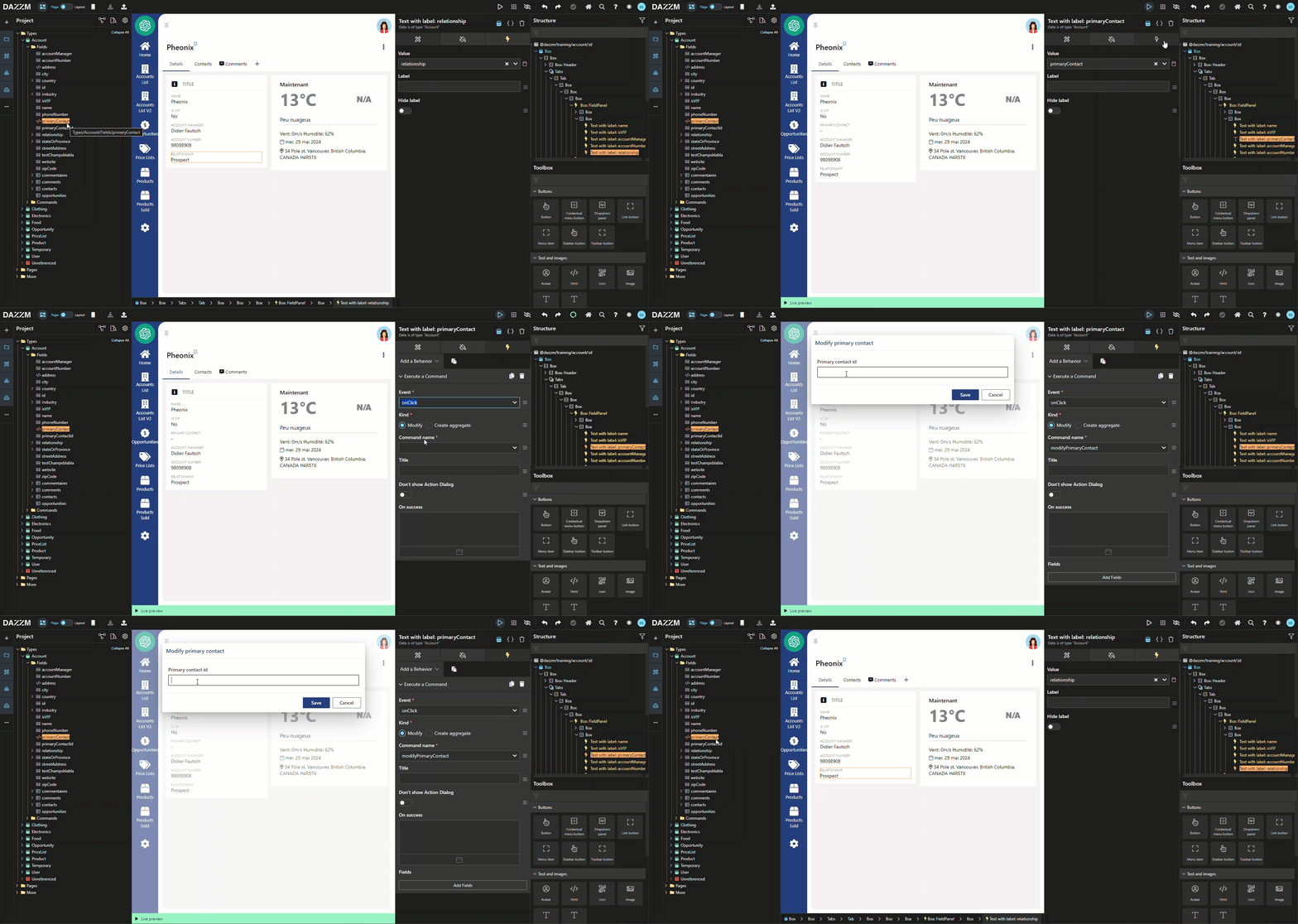
Section titled “4. Displaying the Main Contact in the Account’s Detail Page”Simply drag the computed field “primaryContact” into the UI of an account’s detail page.
Associate it manually with the command we created in the previous step, using the behavior “execute a command” > on click > modify.
This command allows us to set the main contact’s ID, but the command dialogue displays a string field at this stage. Even though the recorded value will be in text mode, we want to present the user with a list of existing contacts in the account so that he can choose one.
5. Editing the Command to Display Selectable Contact Options
Section titled “5. Editing the Command to Display Selectable Contact Options”Open the properties of the primaryContactId parameter, of the “modifyContactId” command to edit the “Candidates Values” in JavaScript mode.
This step will display the contacts as selectable options. The name and title will be displayed for each contact, but once selected, the ID will be saved in the field value).
data.contacts.map(c =>({ value: c, label: (c.name + " (" + c.title + ")") }))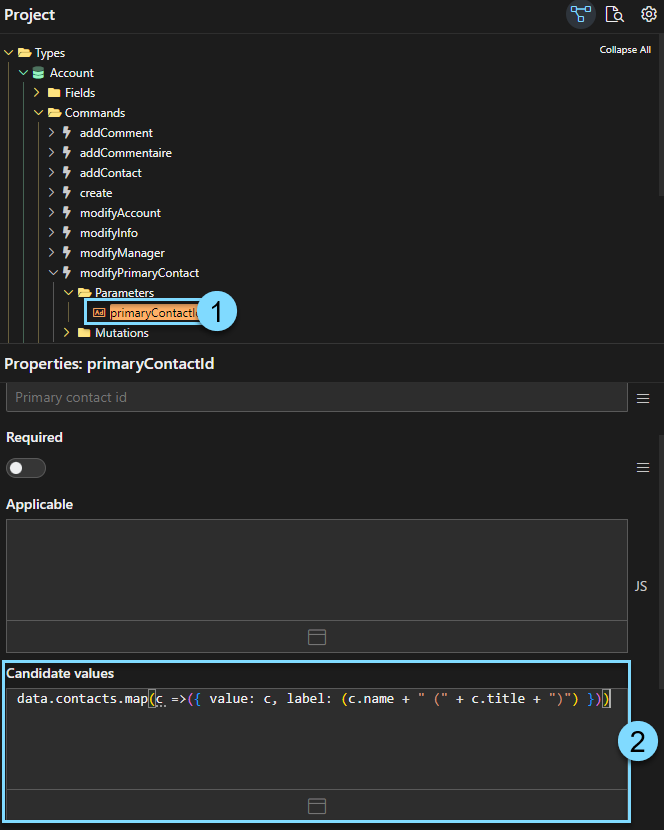
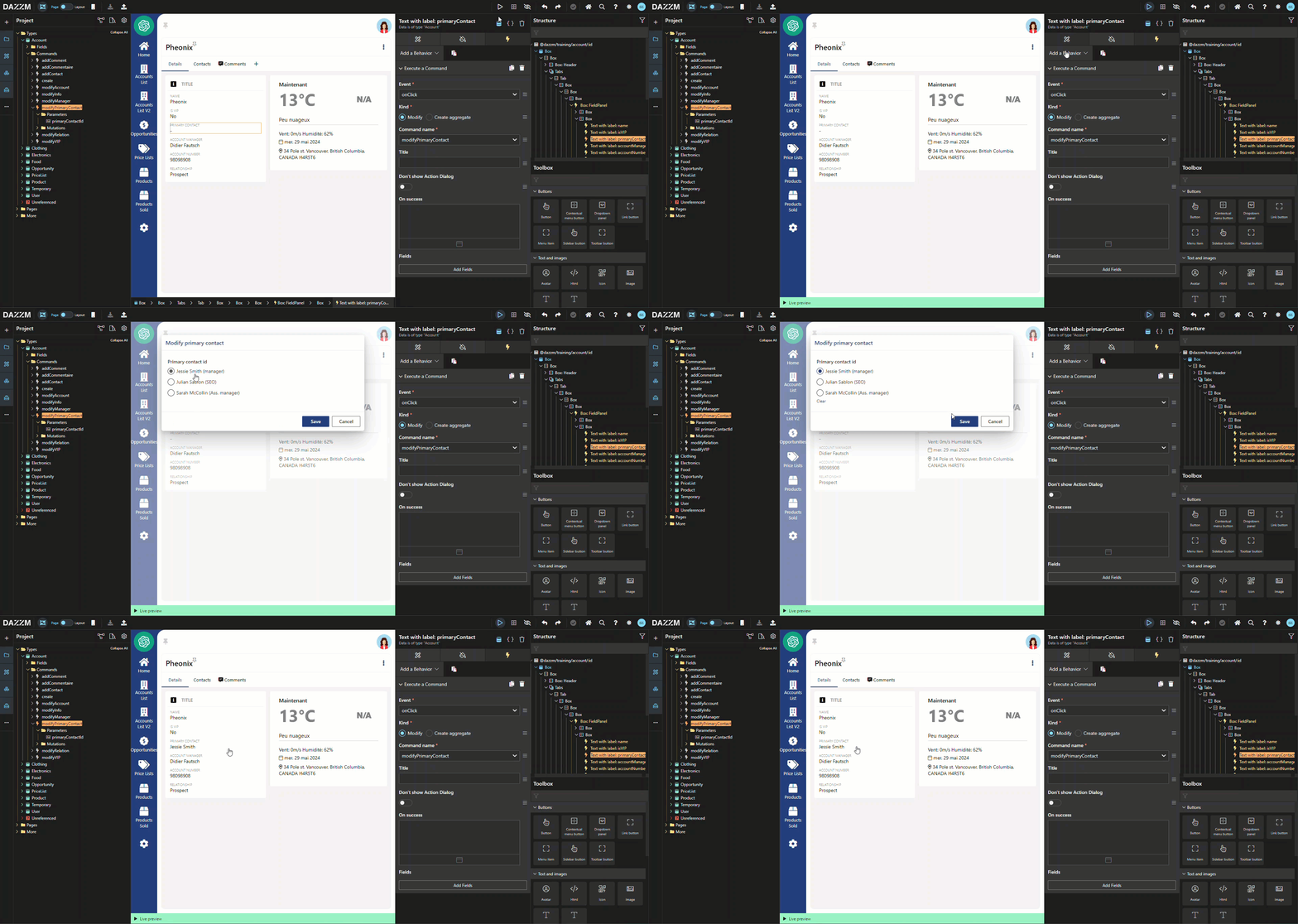
Here is the result of the command dialogue:
Conclusion
Section titled “Conclusion”This guide explains how to select a main contact from a list of contacts in a CRM system. By setting up fields and commands that reference contact IDs, the main contact can be dynamically selected from a list, ensuring accurate data without creating duplicate entries.